






























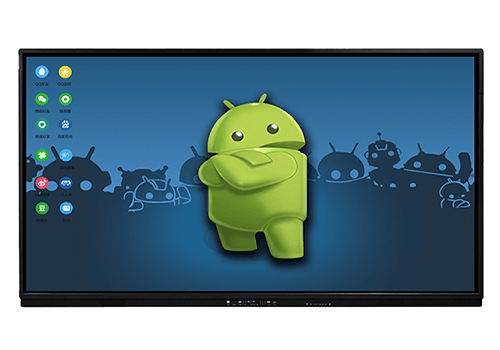
Interactive Digital Smart Board
HJ-TD65A
Product Parameter:
| Interactive Digital Smart Board | ||
| No | Description | Requirement |
| Model | HJ-TD65A | |
| 1 | Panel size | 65” (Diagonal) |
| O/S | Android system | |
| 2 | Aspect Ratio | 16:09 |
| 4 | Display Backlight | LED |
| 5 | Display resolution | 3840 x 2160 (4K) |
| 6 | Response Time | 12ms or less |
| 7 | Display color | At least 1 billion |
| 8 | Brightness | with front glass 200 cd/m2 or better |
| 9 | Constrast Ratio | 4000:1 or better |
| 10 | Multi-touch | Multi-touch screen |
| 11 | Input (Minimum) | VGA x 1 input/ HDMI x 1/ USB 2.0 x1/ RJ45 x 1/ Earphone x 1 |
| Inbuilt wifi module | ||
| 12 | Power Supply | AC: 100V-240V or less- 50/60Hz |
| 13 | LED Life time | At least 50000 hours |
| 14 | Touch Surface | Material- Tempered Glass Technology- Anti-glare Hardness- 7H or above |
| 15 | Touch Sensor | Infrared |
| 16 | Touch Surface Accuracy | 2mm or less |
| 17 | Touch screen writing tools | finger and pen |
| 18 | Speakers | 2 in-built speakers power output- 15W x 2 or higher |
| 19 | Installation Method | Orientation- Landscape Moveable floor stand Movable floor stand loading capacity – 10% more than the weight of the smart board |
| 20 | Power Consumption | Opeational – 350W or less Sleep- 0.5W or less |
| 21 | Humidity | 20% or less – 80% or more |
| 22 | Temperature | 0-40°C or more |
| 23 | Safety Standard | FCC or CE |
| 24 | Installation | Should be done installation in 200 schools |
| 25 | Training | Provincial wise training and demostration at locations identified by the Ministry. Provide a training plan |
| 26 | Warranty | Minimum 3 years comprehensive onsite manufacturer authorization warranty (Labor and parts) Respond time for a breakdown not less than 24hrs |
| Software | ||
| 1. Interactive whiteboard software with the following essential features | ||
| a. Ability to draw with multiple colours and to erase parts of te screen content as required | ||
| b. Ability to save Interactive white board display content | ||
| c. Ability to display the connect of the teacher laptop on the interactive whiteboard | ||
| 2. Classroom Management Software with the following list of essential features | ||
| a. Ability for the teacher to control and manage the class | ||
| b. Ability for the teacher to see the screen of each student in real time. The minimum class size is 40 student | ||
| c. Ability for the teacher to block a student device at any time | ||
| d. Ability for the teacher/student collaboration and communication individually with the teacher or in groups. | ||
| e. Ability of the teacher to display the content of selected students 9at leats one) on the smart board | ||
| f. Free upgrades | ||
Reviews
There are no reviews yet.